20 free credits when you sign up · No card needed
Glasses try-on: see any frames on you
Upload a selfie and the AI glasses try-on puts new frames on your face in seconds — pick a curated pair, upload a product photo from any store, or describe the glasses you want.
- 18 curated frames
- Eyeglasses & sunglasses
- Results in seconds
Frames to try on
Pick a pair and it loads in the glasses try-on studio above.
Eyeglasses
How the glasses try-on works
No webcam filters or 3D models — the frames are drawn into your own photo.
- 1
Upload a selfie
A clear, front-facing photo with your eyes open. Take off your current glasses if you can.
- 2
Pick the frames
Choose from 18 curated frames, upload a product photo of any pair, or describe the glasses you want.
- 3
See them on you
Get a realistic result in about 15 seconds, then compare frames side by side in your history.
Best glasses for your face shape
Not sure of your shape? Use the free face shape detector first.
Oval face
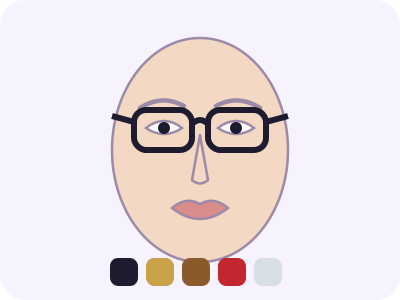
Wayfarer frames, Cat-eye glasses, Rectangular frames, Browline glasses
Round face
Rectangular frames, Wayfarer frames, Cat-eye glasses, Angular geometric frames
Square face
Round frames, Oval frames, Cat-eye glasses, Aviator style
Heart face
Round frames, Oval frames, Rimless glasses, Lightweight bottom-heavy frames
Diamond face
Oval frames, Cat-eye glasses, Rimless frames, Browline glasses
Oblong face
Round frames, Oversized square frames, Wide rectangular frames, Low-bridge frames
Triangle face
Cat-eye glasses, Browline frames, Wayfarer style, Semi-rimless top-heavy frames
Why use a virtual glasses try-on
It works like a virtual fitting room for eyewear, using your own photo.
Shop online with confidence
Upload the product photo from any optician's site and see the exact pair on your face before you order.
Find your frame shape
Compare round, square, cat-eye and aviator frames on the same photo to see which shape balances your face.
Try sunglasses too
Tinted aviators, wayfarers and oversized shades work the same way as clear eyeglasses.
Replace the pair you wear
Already wear glasses? The try-on swaps them for the new frames instead of stacking two pairs.
Products and free style tools
All free toolsGlasses try-on pricing
Each try-on costs 10 credits. Start with 20 free credits and cancel any time.
Pro
Most popular$9/ month
- 200 images every month
- No watermark, commercial use
- Unused credits roll over
Need a few more? Top-up: 1,000 credits for $5, one-time, no subscription.
Glasses try-on FAQ
How does the AI glasses try-on work?
An image-editing model adds the frames you choose to your photo, sized to your face with matching perspective, reflections and shadows. Your face, hair, expression and background stay the same.
Is the glasses try-on free?
New accounts get 20 free credits and each try-on costs 10 credits, the same as a hairstyle. Failed runs are refunded automatically.
Can I try on glasses from another store?
Yes. Switch to the glasses photo option and upload a front-view product image. Clean, plain backgrounds give the most accurate frames.
Will the size be exact?
The frames are scaled to look natural on your face, but a photo can't measure lens width or bridge size. Check the frame measurements printed on the temple before ordering prescription glasses.
What photo works best?
A straight-on photo at eye level in even light, eyes open, hair off your face. JPG, PNG or WebP up to 25 MB.
Are my photos private?
We don't store the photos you upload — they are only used to create your result. Results are saved to your history and you can delete any of them.