100% free · No sign-up · Photo stays on your device
Lipstick shade finder: your best lip colors
Upload a picture and the free lipstick shade finder reads your skin tone, undertone and natural lip color to pick the most flattering lipstick shades — from everyday nudes to statement reds.
Loading face analyzer…
Preparing AI model (first load may take a few seconds)
How the lipstick shade finder works
Detection uses Google's MediaPipe Face Landmarker, running on your device.
- 1
Upload a selfie
Use a clear, front-facing photo or your camera. Face the lens straight on in even light.
- 2
Landmarks are measured
Your skin and natural lip color are sampled and classified by depth and undertone.
- 3
Get your result
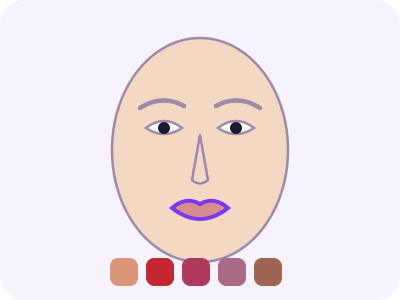
Get a 'my lips but better' shade plus five lipstick colors picked for you.
Lipstick shade finder tips by undertone
Undertone decides the direction of a shade. Cool undertones suit blue-based reds, berries and pinks; warm undertones suit orange-based reds, corals and terracottas; neutral undertones suit true reds and rosy nudes. Depth decides how intense the shade can be before it looks too heavy or too faint.
Nude lipstick is the hardest to choose. It should be slightly deeper than your natural lip and never lighter than your skin, or it can look washed out. The 'my lips but better' shade the tool suggests starts from your own lip color for that reason.
Finish changes the effect. Matte formulas look bold and last longer, satin is easy to wear, and gloss makes lips look fuller. Try the same shade in two finishes before deciding a color doesn't work.
Your natural lip color matters as much as your skin. Pigmented lips can make sheer shades look darker than in the tube, while pale lips show colors truer. A thin layer of concealer or lip primer neutralizes your base when you want a shade to look exactly as swatched. Reapply after eating and blot once to set the color.
Lipstick shade finder FAQ
Is it really free?
Yes. No sign-up, no watermark and no usage limits. The analysis runs in your browser.
Is my photo uploaded?
No. Detection runs locally with Google's MediaPipe model, so your photo never leaves your device.
What photo works best?
A straight-on photo at eye level, from arm's length or further, in soft daylight. Pull hair off your face, remove glasses and keep a neutral expression.
What shade of red lipstick suits me?
Cool undertones suit blue-based reds, warm undertones suit orange-based reds, and neutral undertones can wear true reds. The finder includes the right red for you.
How do I test lipstick in a store?
Swatch on your fingertips, which are closer to lip color than the back of your hand, and check in daylight.
Can I wear shades outside my palette?
Of course — the suggestions are a starting point, not rules.
More from StyleMirror
All free toolsMatch your blush to your lipstick
The blush shade finder uses the same skin reading.
Find blush shades