20 free credits when you sign up · No card needed
Try any hair color with the AI hair dye filter
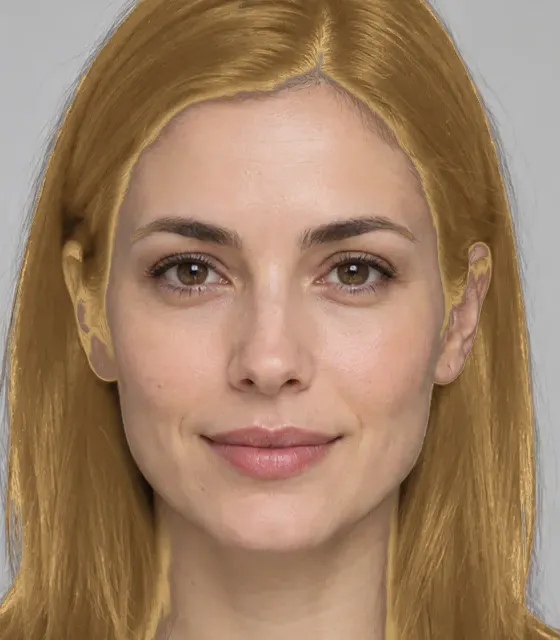
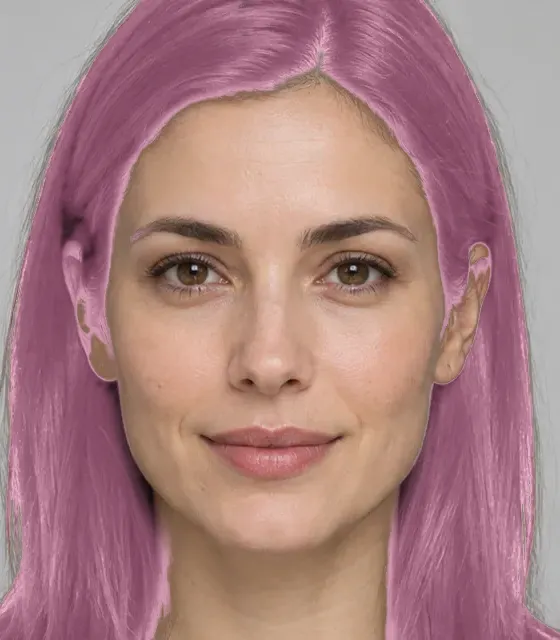
Upload a selfie and the AI hair dye filter recolors your hair in seconds — blonde, copper, red, pastel or any custom shade. Your haircut, face and background stay exactly as they were.
- Haircut stays the same
- 16 shades + custom
- Results in seconds
AI hair dye filter shades
Tap a shade and it loads in the studio above, ready for your photo.
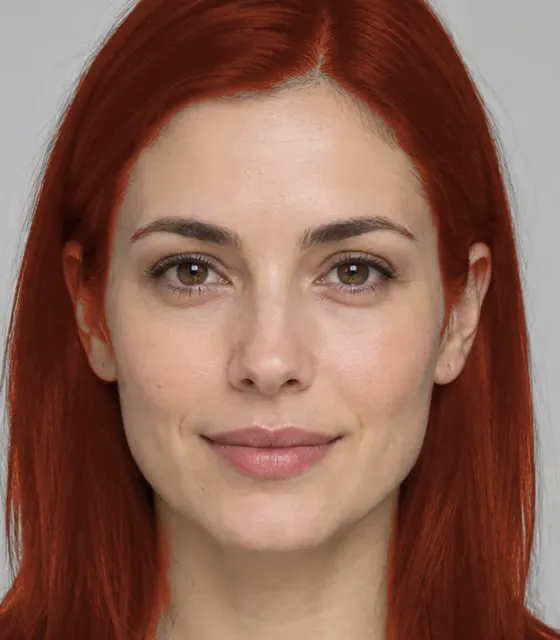
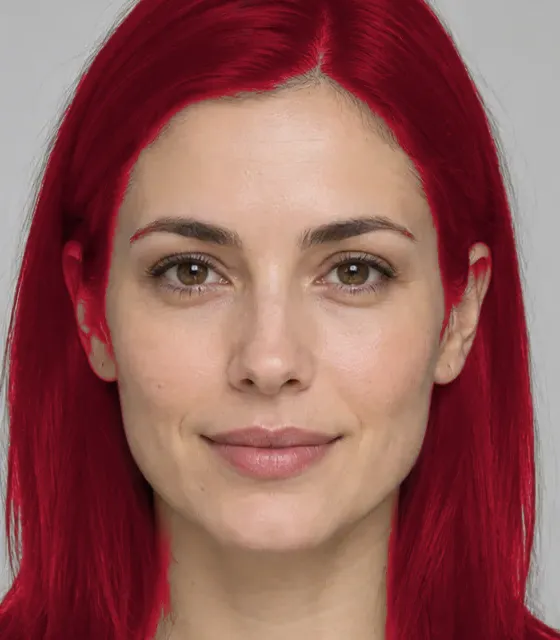
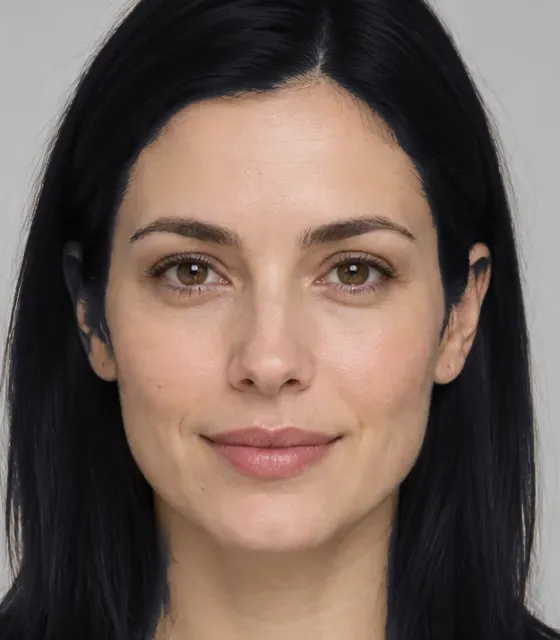
Shade previews on one sample photo. Your result is made from your own photo and depends on its lighting and your starting hair color.
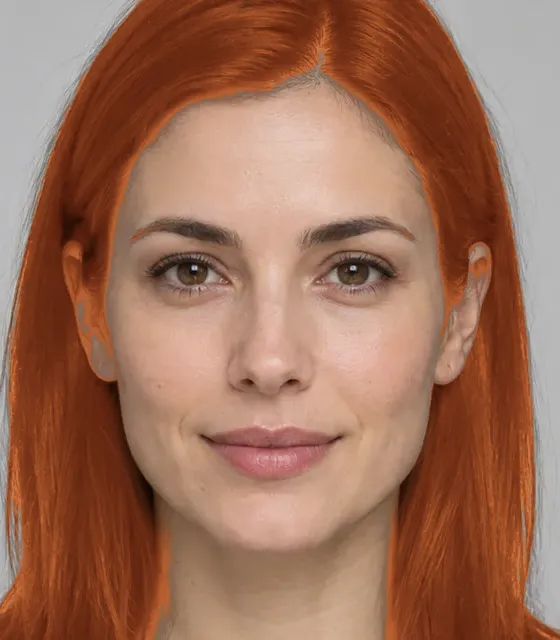
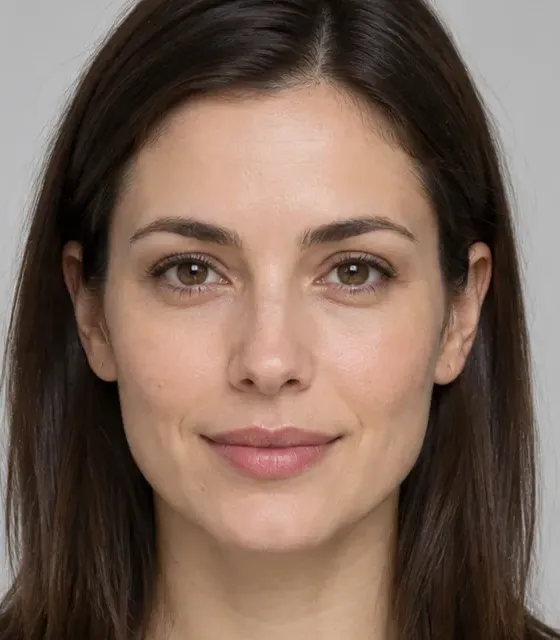 BeforeAfter · Copper
AI hair dye filter before and after
Drag the slider to compare. A good hair color preview changes the tone and nothing else: the same cut, the same shine, the same face. That is what makes it useful for deciding on a dye — you judge the color, not a different person.
How to use the AI hair dye filter
No editing skills and no app to install. The model redraws only the hair color.
- 1
Upload a selfie
Use a clear, front-facing photo with your hair visible, in daylight if you can, and nothing covering it.
- 2
Pick a hair color
Choose one of 16 salon shades — from honey blonde to pastel pink — or pick any custom color.
- 3
Compare the result
See the new color next to your original photo, download it, or try another shade on the same picture.
Tips for a realistic hair color preview
- Shoot in soft daylight; warm lamps make every shade orange.
- Pull your hair away from your face so more of it shows.
- Skip filters and beauty modes on the original photo.
- Try two neighbouring shades, such as copper and auburn.
- Use the custom swatch to match a box dye you already own.
- Save your favourite and show it to your colorist.
Pick a shade for your skin tone
Colorists match hair color to skin undertone. Not sure of yours? The free skin tone analyzer finds it from a selfie, then test the matching shades above.
Warm undertone
Golden, peachy skin; veins look green.
Try first
Honey blonde, copper, auburn, chestnut
Cool undertone
Pink or rosy skin; veins look blue or purple.
Try first
Platinum, ash brown, jet black, cherry red
Neutral undertone
A mix of both; veins look blue-green.
Try first
Balayage, medium brown, soft pink, most shades
Why preview a hair color first
Permanent hair coloring takes weeks to grow out or correct. A preview takes seconds.
Test before you bleach
Going from dark brown to platinum takes several salon visits. See whether you like the result first.
Show your colorist
Bring the preview to the salon so you and your stylist agree on the exact tone, not just a name.
Try bold, low-risk
Cherry red, lavender or blue highlights are fun on screen and expensive to undo on real hair.
Cover grey or go silver
Compare a warm brown that hides greys with a silver shade that embraces them, side by side.
Your cut stays put
The filter changes only the color. Length, texture, parting and face are kept from your photo.
Compare shades privately
Your selfie is only used to recolor the hair and is never kept. Clear any shade you tried whenever you like.
More AI and free style tools
Hair color preview pricing
Each hair color costs 10 credits. Start with 20 free credits and cancel any time.
Top-up credit pack
$5once
- 1,000 credits = 100 AI images
- Just $0.05 per image
- Credits never expire
- No watermark, commercial use
- Stacks on top of any plan
Just looking? Start free.20 welcome credits, watermarked downloads, no card.Start free
AI hair dye filter FAQ
Want a new cut as well as a new color? Try the AI hairstyle changer.
What is an AI hair dye filter?
It is a tool that recolors the hair in your photo — to a preset shade or any color you pick — while keeping your haircut, face, skin and background exactly as they were.
How many hair colors can I try for free?
Your 20 welcome credits cover 2 hair color previews at 10 credits each — enough to put two shades side by side before you decide. A preview that fails costs nothing.
Will it change my haircut too?
No. In Color only mode the model is told to keep the exact cut, length, texture, volume and parting. To change the cut as well, use the AI hairstyle changer.
Can I try a custom hair color?
Yes. Besides the preset shades, the last swatch opens a color picker, so you can try any hex color — handy for matching a box dye or a salon swatch.
How accurate is the color compared to real dye?
It is a close visual preview, not a guarantee. Real results depend on your starting color, hair porosity, the products used and how many lightening sessions you need.
Do you keep my selfie after the preview?
No. The selfie is used once to recolor the hair in it and is not stored afterwards. The color previews you create stay in your account history until you delete them.
See the hair color on you before the salon does
20 free credits. No credit card.
Try a hair color free