20 free credits when you sign up · No card needed
AI hairstyle changer: try it before the salon
Upload a selfie and our AI hairstyle changer shows you a new haircut, hair color, curls or bangs in seconds — pick from 65 styles, copy a hairstyle photo or describe the look. Only your hair changes; your face stays yours.
Trending AI hairstyles
Pick a style to load it in the studio above. Want more ideas? Browse this list of hairstyles.
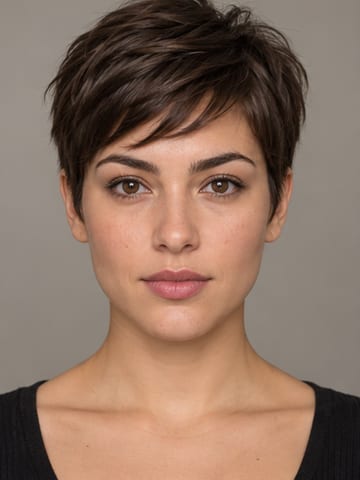
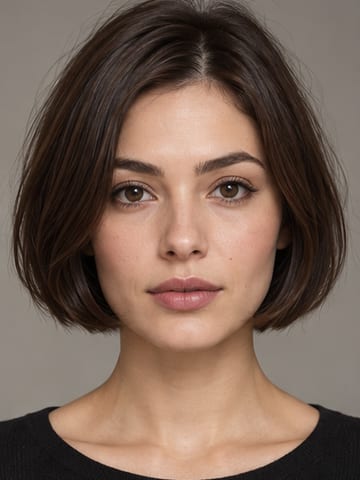
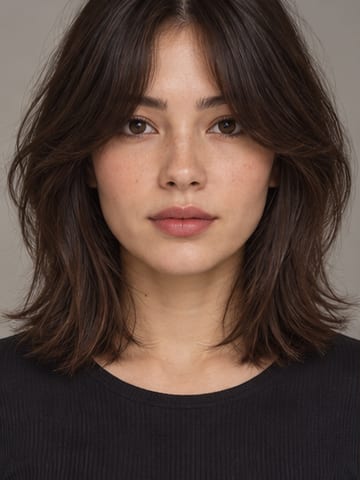
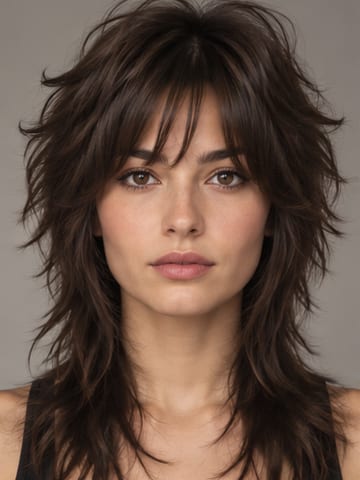
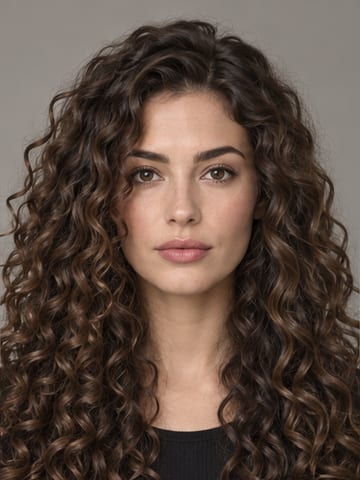
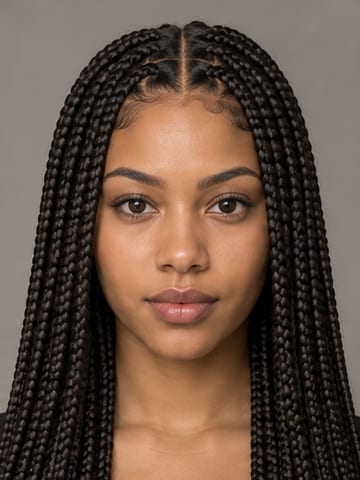
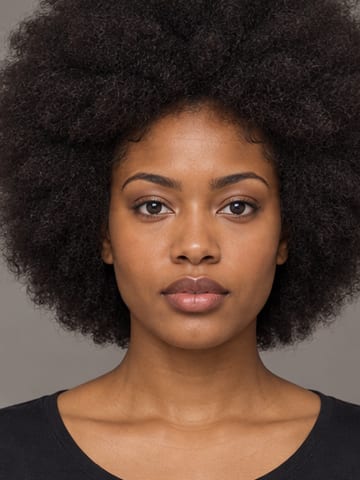
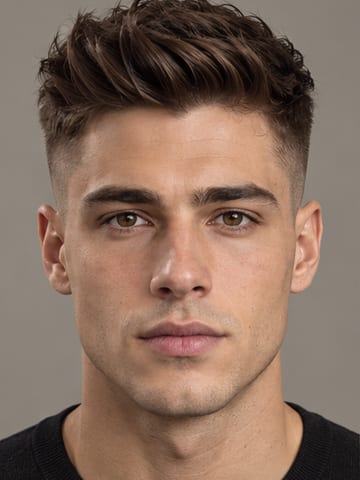
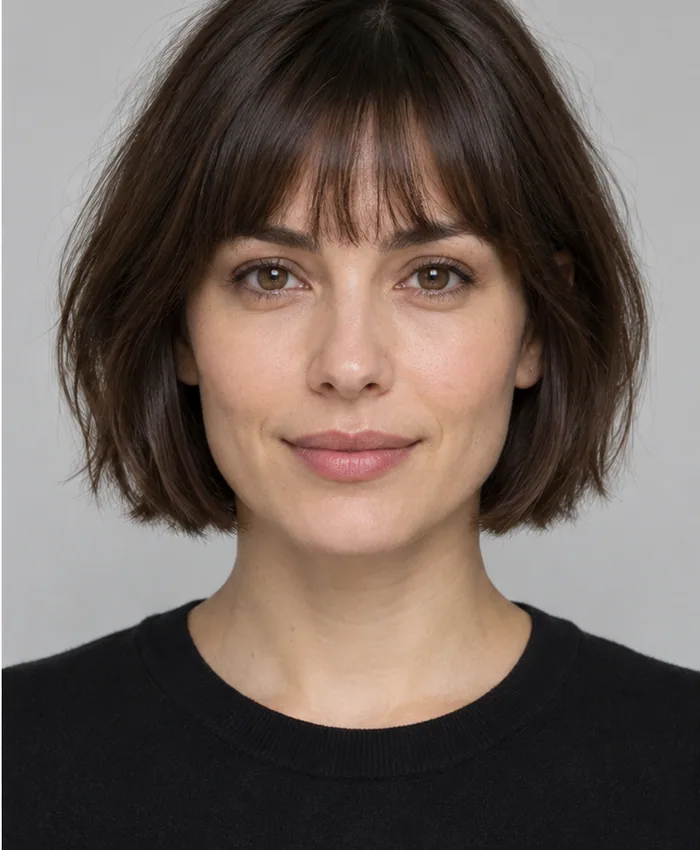
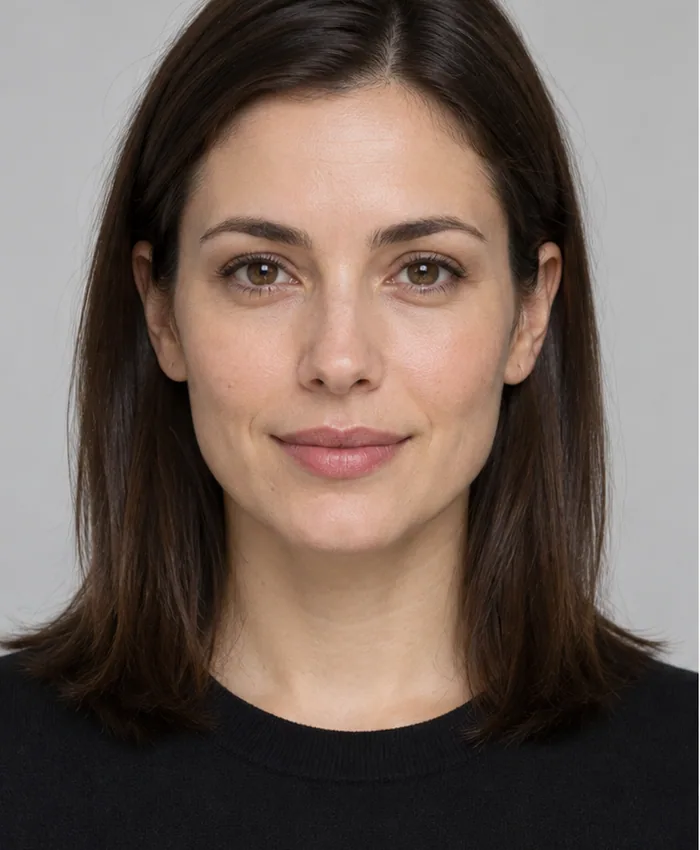 BeforeAfter · French bob
AI hairstyle changer before and after
Drag the slider to compare. The model keeps your face, skin and framing and only changes the hair you asked for, so the comparison shows the cut, not a different person. Look at the hairline, the parting and where the ends fall — that is where a realistic preview earns its keep.
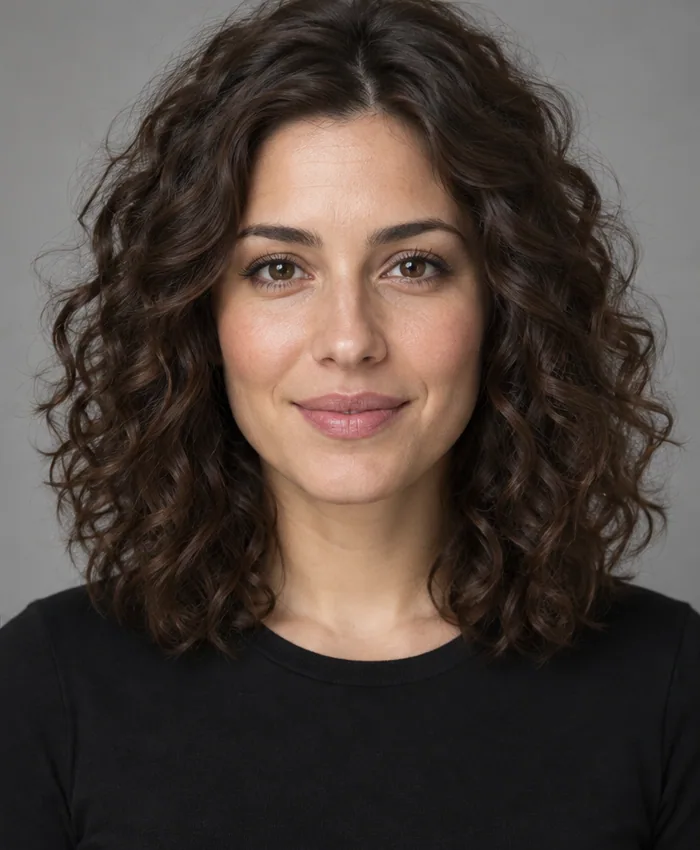
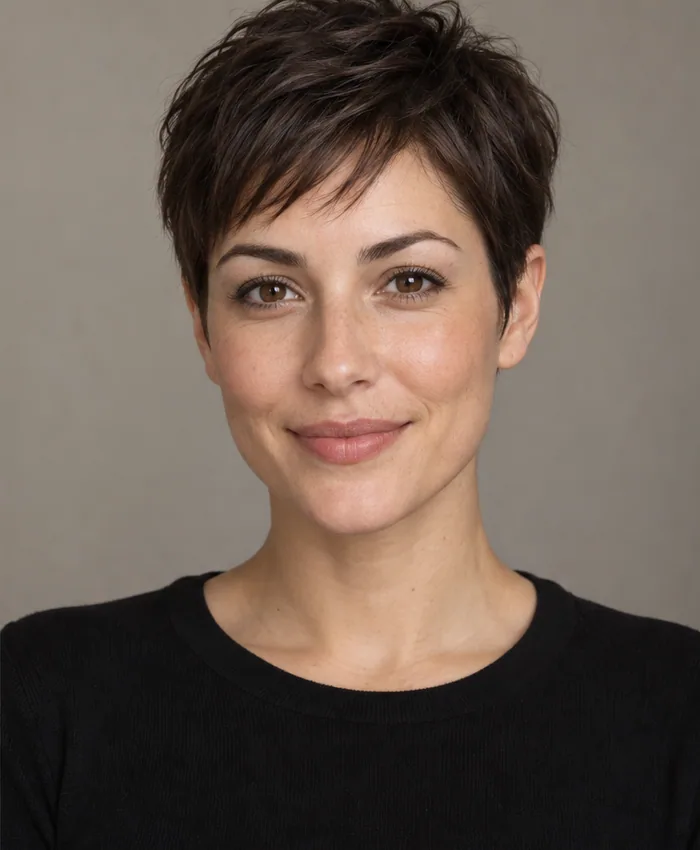
Illustrative AI examples. Your result depends on your photo, chosen style and model output.
How to use the AI hairstyle changer
Four steps, about a minute. No app, no salon visit, no regrets.
- 1
Upload a selfie
Use a clear, front-facing photo of one person with the hair visible and even light. JPG, PNG or WebP up to 25 MB — a phone selfie is fine.
- 2
Choose the hairstyle
Pick one of 65 curated styles, upload a photo of a haircut you like, or describe the cut in your own words.
- 3
Pick a hair color
Keep your own color, let the AI recommend one, or choose from 16 shades and a custom color picker.
- 4
Compare and save
In about 10–20 seconds the new hairstyle appears next to your original. Download it, save it, or try the next look.
Four ways to change your hairstyle with AI
Each tab in the studio is a different way to tell the AI what you want.
Hairstyles library
Browse 65 curated cuts — 40 for women and 25 for men — sorted into 13 groups, from pixies and bobs to fades, quiffs, locs and afros. One tap loads a style, nothing to type.
Hairstyle photo
Saw a cut on Instagram, in a magazine or on a celebrity? Upload that photo as a reference and the AI recreates its length, shape and color on your face — not theirs.
Describe it
Type the look in plain words, like “short curly bob, copper red” or “textured crop with a low fade”. Length, texture, bangs and color all count, so be as specific as you like.
Color only
Keep your cut exactly as it is and change just the shade. Choose from 16 colors, from jet black and chestnut to platinum, lavender and balayage, or pick any custom color.
65 hairstyles for women and men
Every preset in the AI hairstyle changer, grouped the way the studio groups them. Tap a name to load it.
Women's hairstyles · 40 styles
Pixie & short
Bobs
Bangs & fringe
Layers & shag
Long & sleek
Waves & curls
Braids & locs
Natural & afro
Men's hairstyles · 25 styles
Short cuts
Classic
Quiffs & fringes
Medium & long
Curly & textured
Hair colors to try before you dye
Add a shade to any hairstyle, or use Color only to keep your cut. “AI recommended” lets the model pick a natural color that suits you. For shade-by-shade advice, see the AI hair dye filter.
What is an AI hairstyle changer?
An AI hairstyle changer is a photo tool that redraws the hair in a portrait. You give it a picture of yourself and a target look — a preset, a photo of a haircut or a short description — and a generative image model paints the new haircut or color onto your head, matched to your hairline, head shape, lighting and the angle of the photo.
That is different from the hair filters many apps still use. A filter lays a flat cutout of hair over your head, so the edges float, the parting rarely lines up and long styles sit on top of your ears. A generative model rebuilds the hair from the scalp out, so roots, strands and shadows follow your actual head, while your face, eyes, skin and background stay as they were.
The StyleMirror AI hairstyle changer runs in your browser. Your photo is resized on your device, sent to our image model to create the result and not stored afterwards. Every result is saved to your private history, so you can compare a few options and take the best one to your stylist. If you don't know where to start, the face shape detector and the hairstyles for face shape guide suggest cuts to try first.
Tips for realistic AI hairstyle results
The model can only work with what the photo shows. These habits make the biggest difference.
Your photo
- Face the camera at eye level. A slight angle is fine; a full profile hides half the haircut.
- Use soft, even light — a window in front of you beats a lamp overhead or a bright window behind you.
- Take off hats, hoods, headbands and big clips so the hairline and ears are visible.
- Keep one person in the frame. Crop friends out of group photos first.
- Use a sharp photo from your phone's main camera, not a blurry screenshot or a heavily filtered selfie.
- Going much shorter? A photo with long hair pushed behind your shoulders leaves the AI less hair to paint over.
Your hairstyle choice
- Change one thing at a time: try the cut with “No change” color first, then try colors on the cut you like.
- For a hairstyle photo, pick one where the whole haircut is visible and lit, not cropped at the chin.
- In a description, name length, cut, texture, bangs and color — “chin-length blunt bob, straight, no bangs, dark brown”.
- Run a style you're serious about two or three times. Small differences in fringe and parting show what a stylist could adjust.
- Be honest about texture. A sleek style on very curly hair means daily blow-drying, so also try the waves, curls and natural styles.
AI hairstyle prompt examples
Copy one into the Describe it tab, then change the details to suit you.
Women's cuts
- “Chin-length French bob with wispy bangs, dark brown”
- “Long butterfly layers with curtain bangs, honey blonde”
- “Shaggy pixie cut with a deep side part”
Men's cuts
- “Textured crop with a low skin fade”
- “Medium-length flow swept back, natural brown”
- “Short curly top with a taper fade”
Curls and protective styles
- “Shoulder-length defined curls with volume at the crown”
- “Waist-length knotless box braids, black with copper ends”
- “Tapered afro, short on the sides”
Color changes
- “Keep my haircut, change the color to copper red”
- “Keep my haircut, add face-framing blonde highlights”
- “Soft balayage from dark brown roots to caramel ends”
Who uses an AI hairstyle changer?
Anyone about to make a hair decision that is slow or expensive to undo.
Before a big chop
Going from long hair to a bob or pixie is hard to undo — hair grows only about six inches a year. See the short version on your own face first.
Choosing a hair color
Bleach and dark dye are hard to reverse. Compare platinum, copper or balayage against your skin tone before you book a colorist or buy a box.
Briefing your stylist
Bring the result to your appointment. A picture of the cut on your own face is a clearer brief than a celebrity photo with different hair.
Men at the barber
Compare a fade, crop, quiff, mullet or longer flow, then show your barber the shape you want on top and at the sides.
Weddings and events
Test waves, braids, buns or a sleek blowout for a wedding, prom or photoshoot, and share the options before your hair trial.
Salons and creators
Stylists use previews in consultations; creators use them for before-and-after posts. Paid plans remove the watermark and allow commercial use.
Why try an AI hairstyle first
A haircut takes months to grow out. A preview takes seconds.
You stay you
Your face, features, skin, makeup, clothes and background stay the same. Only the hair changes, so you judge the cut — not a different person.
Every hair type
Straight, wavy, curly and coily hair are all covered, with styles for braids, locs, twists, afros and 360 waves — not only straight-hair cuts.
No app to install
The AI hairstyle changer runs in the browser on iPhone, Android, Mac and Windows. Upload from your camera roll and you're done.
Every look saved
Each result lands in your private history, so you can line up three or four options side by side before you book.
Pay only for results
Each image costs 10 credits, failed runs are refunded automatically, and your credits don't expire.
Private by default
We don't keep the photos you upload or use them to train AI models. Delete any result from your history at any time.
AI hairstyle changer vs. filters and salon consults
Three ways to preview a new look, and what each one can show you.
| Feature | AI hairstyle changer | Live hair filter apps | Salon consultation |
|---|---|---|---|
| Shows the cut on your face | Yes, on your own photo | Yes, on your camera feed | No, you imagine it from photos |
| Realistic hairline and lighting | Hair is redrawn to match the photo | A flat overlay; edges often float | — |
| Copy any haircut photo | Yes | Only the filters on offer | Your stylist interprets it |
| Try hair colors | 16 shades or any you describe | Usually a few tints | Swatch book or strand test |
| Time per look | 10–20 seconds | Instant | An appointment |
| Cost | 2 free looks, then from $9 a month | Often free, with ads or upgrades | Usually part of a booking |
What an AI hairstyle preview can't tell you
A preview is a decision aid, not a promise. Keep these limits in mind.
- It shows a likely look, not a guarantee. Your hair's density, the way it grows from the crown and your stylist's technique all shape the real result.
- Texture is the hardest part. A sleek style on very curly hair, or big curls on fine straight hair, may need daily heat styling, a perm or extensions to look like the preview.
- Color depends on your starting point. Going from dark brown to platinum usually takes bleach and more than one session, so ask your colorist for a strand test first.
- A haircut can't add length. Long-hair previews show what growing it out — or extensions — could look like.
- Each run is slightly different. If one result looks off, such as an odd parting or a shifted hairline, run it again or use a clearer photo before judging the style.
AI hairstyle changer and free style tools
Every StyleMirror tool in one place: AI try-on for hair and outfits, plus free face shape, makeup and body tools that run in your browser.
AI try-on
Face shape
Facial features
Proportions & symmetry
Fun & insights
Makeup shade finders
Color & skin tone
Body type
Privacy & editing
AI hairstyle changer pricing
Each image costs 10 credits. Start with 20 free credits and cancel any time.
Top-up credit pack
$5once
- 1,000 credits = 100 AI images
- Just $0.05 per image
- Credits never expire
- No watermark, commercial use
- Stacks on top of any plan
Just looking? Start free.20 welcome credits, watermarked downloads, no card.Start free
AI hairstyle changer FAQ
31 answers about photos, results, privacy and pricing. Still unsure? Read the hairstyles for face shape guide.
Getting started
What is an AI hairstyle changer?
An AI hairstyle changer is a photo tool that gives the person in your picture a new haircut or hair color. You pick the look — a preset style, a photo of a haircut or a text description — and a generative image model redraws the hair to fit your hairline, head shape and lighting, while your face, features and background stay the same.
Is the AI hairstyle changer free?
You can start for free. New accounts get 20 free credits with no credit card, and each AI hairstyle costs 10 credits, so you can try 2 looks before paying anything. Free downloads carry a watermark. The face shape detector and other style tools on this site are free with no sign-up.
Do I need to download an app or create an account?
There is no app to download — the hairstyle changer runs in your web browser. You can upload a photo and choose a style without signing in. When you press generate, you create a free account so your credits and results are saved to you.
Does the AI hairstyle changer work on my phone?
Yes. It works in mobile browsers such as Safari on iPhone and Chrome on Android. Take a selfie or choose one from your camera roll; large phone photos are resized on your device before upload, so uploads stay quick.
How long does it take to change my hairstyle?
Most results are ready in about 10–20 seconds. If the generator is busy or a run fails, the credits go back to your balance automatically and you can try again.
How many hairstyles can I try?
There are 65 preset hairstyles — 40 for women and 25 for men — and 16 hair colors plus a custom color picker. With a hairstyle photo or a text description, the number of looks is open-ended. Each image costs 10 credits; the Pro plan covers 200 images a month.
Photos and results
What kind of photo works best?
A clear, well-lit photo of one person facing the camera, with the hair and hairline visible and nothing covering them — no hat, hood or hands. Daylight from in front of you works best. JPG, PNG or WebP up to 25 MB; a recent phone selfie is ideal.
Will the AI change my face?
The model is instructed to change only the hair and keep your face, identity, skin tone, pose, background and lighting exactly the same, so the before and after shows the haircut rather than a different person. Generative models aren't perfect: if a result shifts a feature, run it again or use a sharper, front-facing photo.
How realistic are the AI hairstyle results?
With a sharp, evenly lit photo, results look like real photos: strands, roots, parting and shadows follow your head and the light in the picture. Realism drops with blurry, dark or heavily filtered photos, extreme angles, or hair hidden under a hat.
Will my real haircut look exactly like the preview?
No preview can promise that. The real result depends on your hair's density, texture and growth pattern, and on your stylist. Use the preview to choose a direction, show it to your stylist, and ask how that cut will behave with your hair.
What if I don't like the result?
Try another style, color or photo — each run is a fresh attempt and small differences between runs are normal. You can delete results you don't want from your history. Credits are refunded for failed runs, not for results you dislike, so start with a good photo.
Can I use a photo of a friend, a client or a group?
You can use a photo of another adult who has agreed to it; photos of minors are not allowed. Use photos with one person in them — crop a group shot down to the person you want to restyle so the AI knows whose hair to change.
Can I wear glasses or a hat in the photo?
Glasses are usually fine as long as your eyes and hairline are visible. Hats, hoods, headbands and large clips hide the hairline the AI needs, so take them off. Hair tied back is fine, and can even help when you want to try a much shorter cut.
Styles and colors
Does it work for curly, coily and natural hair?
Yes. The library includes box braids, cornrows, locs, Senegalese twists, a twist-out, Bantu knots, an afro puff, a tapered afro, a curly top fade and 360 waves, alongside curly bobs and spiral curls. You can also describe your own curl pattern, for example “shoulder-length 4C coils, defined twist-out”.
Is there an AI hairstyle changer for men?
Yes. There are 25 men's hairstyles in 5 groups — short cuts, classic, quiffs and fringes, medium and long, and curly and textured — including the buzz cut, crew cut, French crop, classic fade, pompadour, faux hawk, modern mullet, man bun and 360 waves. You can also describe a fade height or the length on top in words.
Can I try a celebrity's hairstyle on my photo?
Yes. Choose Hairstyle photo, upload a clear picture of the haircut you like, and the AI recreates its length, shape and color on your face. Pick a photo where the whole haircut is visible and well lit. Only the hairstyle carries over — the person in the reference photo doesn't appear in your result.
Can I see myself with short hair or bangs before cutting?
Yes — this is the most common reason people use an AI hairstyle changer. Try a pixie cut, French bob or buzz cut, or add curtain, wispy, blunt or side-swept bangs, and see the result in seconds instead of spending months growing out a cut you don't like.
Can I see what I'd look like with longer hair?
Yes. Choose a long style such as long layers, Hollywood waves or sleek straight hair, or describe the length you want. A haircut can't add length, so treat the result as a preview of growing your hair out or of what extensions could look like.
Can I change only my hair color?
Yes. The Color only tab keeps your haircut exactly as it is and changes the shade. Choose from 16 colors — including jet black, chestnut, auburn, copper, honey blonde, platinum, silver grey, cherry red, pastel pink, lavender, balayage and blue highlights — or use the custom color picker to match a box dye.
Can I change the haircut and the color at the same time?
Yes. Pick any hairstyle and then a hair color below it, or write both in one description, like “long layers with curtain bangs, copper”. Leave the color on “No change” to keep your own shade, or on “AI recommended” to let the model choose a natural color that suits you.
How do I describe a hairstyle in words?
Name the length, cut, texture, fringe and color, roughly in that order: “collarbone-length lob, soft waves, curtain bangs, light brown”. For men, add the fade or taper and the length on top: “textured crop, low skin fade, short on top”. Short, specific prompts beat long lists of adjectives.
Which hairstyle suits my face shape?
Start with the free face shape detector, which measures your selfie in your browser and labels your face oval, round, square, heart, diamond, oblong or triangle. Then try two or three of the cuts suggested for that shape in the AI hairstyle changer to see them on your own face.
Privacy, downloads and pricing
Are my photos private?
Your uploaded photo is resized in your browser, sent to our AI image provider to create the result, and not stored by us afterwards. The finished images are saved to your private account history. We don't sell your data or show third-party ads.
Do you use my photos to train AI models?
No. Your photos are used only to create the result you asked for. We don't use them to train AI models.
Can I delete my results?
Yes. Delete any result from your history at any time, or delete your account from the settings page to remove your results and account data.
Can I download my new hairstyle? Is there a watermark?
Every result can be downloaded. Images made with free credits carry a watermark. On the Pro or Ultra plan, or after buying a credit pack, you can download without the watermark.
Can I use the images commercially?
Images created on a paid plan or with a credit pack carry no watermark and can be used commercially, for example on social media, in salon marketing or in ads. Free downloads are for personal use. Only publish images of people who agreed to it.
Can hairstylists and salons use it with clients?
Yes. Stylists and barbers use it in consultations to show a client a cut or color on their own photo before picking up the scissors. Ask for the client's consent before uploading their photo. Pro and Ultra give you 200 or 1,000 watermark-free images a month.
How much does the AI hairstyle changer cost?
Each image costs 10 credits. After your 20 free credits, Pro is $9 a month for 200 images, Ultra is $29 a month for 1,000 images, and a one-time pack of 1,000 credits (100 images) costs $5.
Do credits expire, and what if a generation fails?
Credits don't expire: unused Pro credits roll over, and pack credits stay until you spend them. If a generation fails or our safety check blocks it, the credits go straight back to your balance.
Can I cancel my plan any time?
Yes. Manage or cancel your plan from the billing page. It stays active until the end of the period you paid for, and nothing renews after that.
See your next haircut before the salon does
20 free credits — enough for 2 AI hairstyles. No credit card.
Try the AI hairstyle changer